




DAZ Productions Inc., a leading developer of professional quality 3D models and software, today announced the immediate availability of DAZ Hexagon 2.1, a powerful and highly accessible 3D polygonal and subdivision modeling software. In addition to improved stability, Hexagon 2.1 also offers several new and compelling features for greater ease-of-use and customization.
New in this release is a free Tessellation tool that allows users to Tessellate not only from edge to edge but also directly on the surface of a polygon. Also added is an enhanced tree view which offers the ability to multi-select, search elements by name and reorder elements via a simple drag and drop process. Additionally, DAZ Hexagon 2.1 now delivers even greater productivity through enhanced time-saving tools and settings.
Hexagon 2.1 modeling software delivers highly intuitive tools for modeling, refining, UV mapping, texturing and previewing detailed 3D creations. Features announced in Hexagon 2 include freehand brush modeling, a complete UV-mapping module and new 3D paint tools to apply textures using brushes or through imported textures, as well as ultra-fast Ambient Occlusion simulating Global Illumination and real-time shadows.
Models created in Hexagon 2.1 can be seamlessly exported into most any 3D rendering software application including DAZ Carrara. Hexagon 2.1 is available for both Macintosh and Windows platforms.
Full versions of Hexagon 2.1 are now priced at $149. Owners of Hexagon 1 can receive an upgrade to Hexagon 2.1 for $49. Additionally, owners of DAZ software including Bryce, Carrara or Mimic, can take advantage of the DAZ crossgrade price of $79. Current Hexagon 2 owners can download the update free of charge from the DAZ website.
More information about DAZ Hexagon 2.1 software including a complete feature list can be found on the DAZ website at: www.daz3d.com.
This article was last modified on January 3, 2023
This article was first published on July 21, 2006
Commenting is easier and faster when you're logged in!

Recommended for you
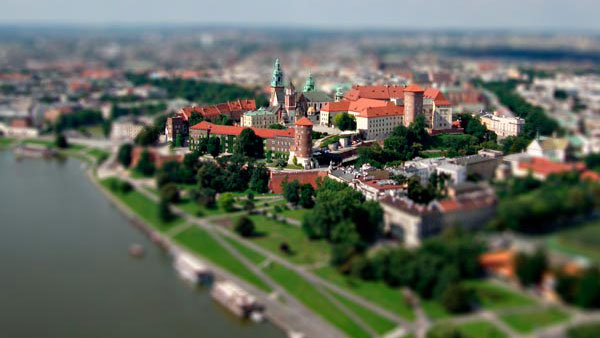
Creating Tilt-Shift Effects in Photoshop
The Tilt-Shift effect makes aerial views of landscapes look like model villages....

Photoshop Tip: Quickly Resize the Photoshop Canvas with Reveal All and Trim
If you’ve ever designed with type in Photoshop, you’ve probably enco...
Use the History Log to Make Photoshop Take Notes For You
Have you ever finished a complex sequence of steps in Photoshop, and later wishe...