



Export Images from PDFs into Photoshop
Let’s say you have a PDF document containing images, with or without text and other elements, and you want to export the images to Photoshop. Acronnect’s ImageEngine Export ($79 or €59) is a plug-in for Acrobat that does it for you, optionally including the images’ ICC profiles.

The full version of ImageEngine ($299 or €220) does even more, such as letting you export images from an existing PDF document into a new PDF document, or export them as files in any format QuickTime supports (such as TIFF). It can also do the opposite, creating a new PDF document and importing all the images from a folder into it.
ImageEngine can also create a report on all the images in a PDF. It saves this report as a new PDF that includes the following details about each image:
- Preview
- Size, resolution, color space, bits, file size, compression and image type
- Size of the image box
- A link to show the image in the source document
- A link to export the source image
Acronnect
Create Barcodes in Illustrator
Yin4Yang’s Barcode Toolbox ($90) is a plug-in for Adobe Illustrator CS that provides an easy-to-use interface for creating barcodes of every common type. The result is a native Illustrator object.
Yin4Yang N.V.
Create Barcodes in QuarkXPress
Vision’s Edge’s BarCoder XT ($99) is an XTension for QuarkXPress 6 that creates UPC, EAN and ISBN bar codes. You enter the bar code’s numbers, choose options such as height, color, transparency, and whether to include basic digits and/or supplemental digits. BarCoder then creates an EPS file containing the bar code and places it into a picture box.

Vision’s Edge
Instant Patterns in Illustrator
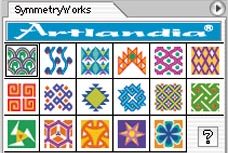
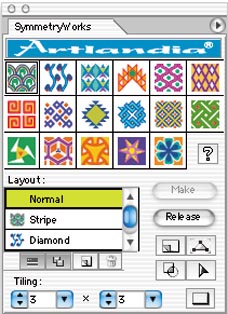
Artlandia SymmetryWorks 3 ($215) is a unique plug-in for Illustrator that lets you easily create and interactively edit seamless patterns and designs. You draw a simple shape, and SymmetryWorks rotates, reflects, and spaces it to create a seamless pattern. As you edit the shape, the pattern updates in real time, encouraging you to experiment. You can also add additional shapes to the pattern and view the changes in real time. For examples, see the company’s Web site.
Artlandia
A History Palette for InDesign
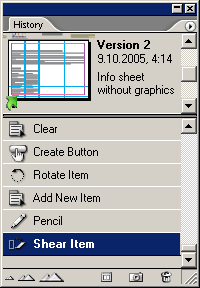
History ($39), from DTP Tools, is a plug-in for Adobe InDesign and InCopy that tracks changes to a document since opening it, and displays all undo and redo steps. You can jump to a specific state–even when it’s no longer on the history list–and create a new document from the current state.
DTP Tools
Automatic Numbers & Bullets in QuarkXPress
Gluon’s ProBullets & Numbers ($49) is an XTension for QuarkXPress 6 that adds a feature that’s common in word processors: automatic bullets, numbers, and indents. You select multiple paragraphs of text on a QuarkXPress page, then choose among bullets, various numbering schemes, and whether to indent or not. Bullets don’t even have to be bullets: they can be any character from any font. Bullets and numbers can be bold or roman, and can be styled with any existing Character style. Different levels of indent can have different numbering schemes and you can set the amount of indent — in other words, you have control over just about all the formatting.


If you change your mind, you can remove all bullets and numbers with one click. Unfortunately, the numbers don’t change if you edit the list, so you have to reapply the formatting after any changes.
Gluon
A Different Kind of Preflight Tool
Gluon’s QC (Quality Control) ($49) is a unique XTension for QuarkXPress 6 that finds and fixes problems in a project long before “collect for output.” It’s also a true bargain.
Rather than focusing on “output” problems (although it handles that as well), QC looks for typographic, layout, alignment, and picture problems that a designer can easily fix. It can then either fix the problem for you or take you to the problem and present the appropriate dialog box to fix it.
For example: A space before a comma, excessive paragraph returns or spaces, styled fonts, altered style sheets, incorrect ©, ® and ™ characters, unapproved rule weight, text running off the page, suppressed items, missing fonts in placed EPS graphics, ink oversaturation, images with inappropriate resolution or color mode, colored text at small sizes, unapproved colors, slightly misaligned items, consistency of frame and rule weight, items covered by other items, items on the Pasteboard, blank pages and dozens more.
QC also includes QC Collect, which can collect multiple documents for output at one time, gathering all the fonts and pictures without gathering multiple copies of one font or picture, and re-linking the pictures to the documents.
Gluon
This article courtesy of and copyrighted by Design Tools Monthly. For a free sample of the printed newsletter, email in**@**********ls.com.
This article was last modified on December 14, 2022
This article was first published on April 8, 2005
Commenting is easier and faster when you're logged in!

Recommended for you
Soft-Proofing: Benefits for the Graphic Designer
There is a very useful, but often overlooked, feature in Photoshop relating to c...
Top Tips for Photoshop Book Now Available!
Twenty of our most popular Photoshop tutorials curated and collected in a conven...

Creating "Hobbit" Type in Photoshop and Illustrator
Unless you’ve been living under a rock the size of a cave troll, you...