


Acrobat How-To: PDF Printing, Preflighting, and Prepress


Printing files at a service bureau used to be a tussle of proprietary formats, with QuarkXPress usually winning. Then more and more publishers began to produce PDF files for their final output. But Acrobat’s original mission as a compact vehicle for onscreen viewing didn’t exactly endear it to the printing and prepress communities.
With Acrobat 6 Professional, Adobe took a giant leap forward. The application now includes a plethora of professional printing tools, including file preflighting and ink overprinting, among other prepress niceties.
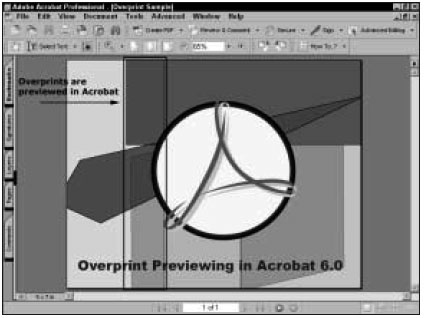
In this chapter from Ted Padova’s “Acrobat 6 PDF Bible” you’ll get an in-depth tour of the PDF printing and prepress capabilities of Acrobat 6.
We’ve posted this excerpt as a PDF file. All you do is click the link “Printing and Prepress” to open the PDF file in your Web browser. You can also download the PDF to your machine for later viewing.
To open the PDF, you’ll need a full version of Adobe Acrobat (4 or higher) or the Adobe Reader, which you can download here:
 .
.
To learn how to configure your browser for viewing PDF files, see the Adobe Reader tech support page.
Excerpted from “Adobe Acrobat 6 Bible” by Ted Padova. Copyright © 2003 Wiley Publishing. All rights reserved. Reproduced here by permission of the publisher.
This article was last modified on April 21, 2004
This article was first published on April 21, 2004
Commenting is easier and faster when you're logged in!

Recommended for you

Publish Online Project of the Month: Irish Landscapes
One of the most interesting developments regarding InDesign in 2015 has been the...

Free Webinar: Accessible Infographics
Join us Tuesday, August 27 at 10 am Pacific for our 75-minute free webinar to le...

Spell Checking Is No Replacement for a Good Proofer
When a student editor grabbed the first suggestion InDesign made for a mispelled...