



How about cleaning out your Hyperlinks panel and getting rid of all the old hyperlink destinations that may be cluttering up your documents and slowing you down? Just follow these steps from Sandee Cohen.
- Choose Hyperlink Destination Options from the Hyperlinks panel menu.
- Use the Destination menu to move through your destinations to delete the ones you don’t want, or click the Delete Unused button to clear the list completely.
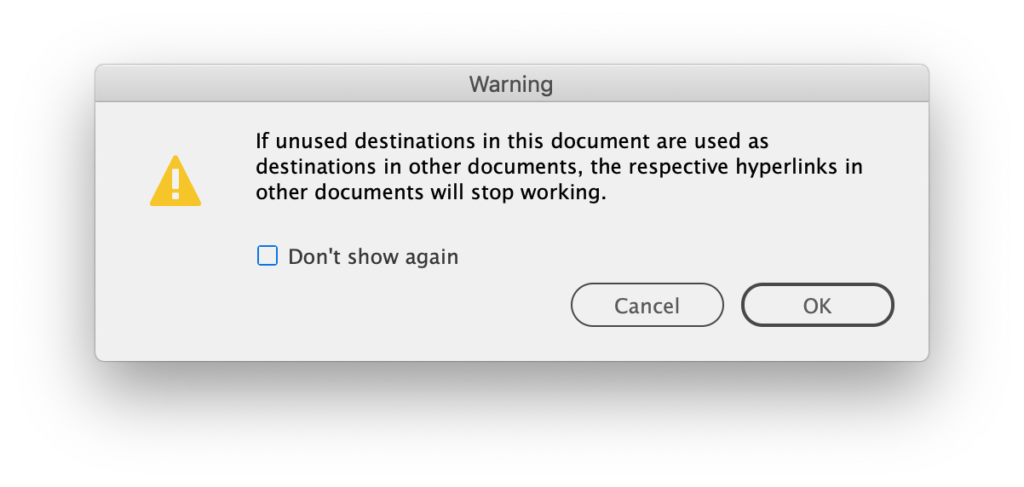
One caveat: Even though a destination might be unused in one document, that doesn’t mean it’s unused everywhere if you use Shared Destinations. So if you delete it in the referenced document, it will stop working elsewhere. InDesign will give you a warning about this.
This article was last modified on April 3, 2026
This article was first published on May 1, 2019
Commenting is easier and faster when you're logged in!

Recommended for you

InQuestion: Hanging Page Numbers on the Right Side of a Table of Contents
Sandee Cohen shows how to use an obscure bit of paragraph formatting make page n...
Moving Text Styles from InDesign to Illustrator and Photoshop
Steve Werner dives into the details of getting your styles "to go."
InDesign How-to Video: Using Power Zoom
In this week’s InDesignSecrets video, Mike Rankin shows us how to use InDesign’s...