




Press Release
Are you the person who’s always taking pictures at corporate parties, family events or at get-togethers with friends? The iSnap.it app for iPhone and iPod touch devices is exactly what you’re looking for. Designed and developed to give your images a professional look, iSnap.it is the only app that lets you create personalized image templates for your pictures before you’ve even taken them.
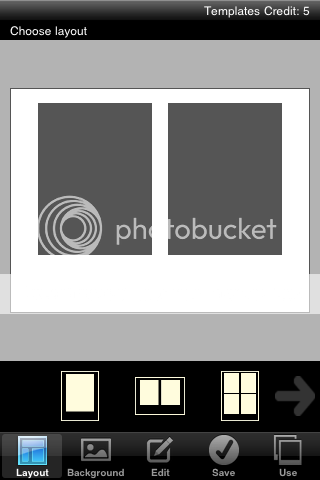
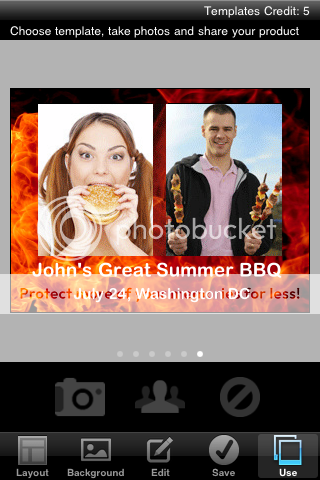
Here’s how it works. iSnap.it lets you choose a layout from various different styles and configurations. Choose one of the app’s pre-defined backgrounds or include your own from your photo library. Add text, logos or some fun clip art, and then save your template. Once your template is ready, you’re good to go. Your image template can now be used as many times as you’d like with multiple pictures and shared with your friends and colleagues. iSnap.it is fun, easy and incredibly convenient.
Notable features include:
* Choose from 18 different layouts
* Backgrounds available within the app or select any image from your Photo Library.
* Include text, icons and logo
* Share your images via Email, Facebook and Twitter
* Free to use
* Store multiple templates for future reuse
Pricing and Availability:
The iSnap.it application is free and downloads with ability to create and use two free templates. Each template can be used to create an unlimited number of images. Once you’ve experienced the fun of iSnap.it, you can purchase additional template credits – two additional templates cost $0.99 (USD).
This article was last modified on January 18, 2023
This article was first published on February 25, 2011
Commenting is easier and faster when you're logged in!

Recommended for you
Working with Illustrator’s Color Libraries
Illustrator has more options for adding colors to a document than just mixing co...

Design How-To: Using Ghosted Backgrounds
A beautiful technique that's unusually easy to design: ghost and repeat a foregr...

Basic Tips for Color Management
In early December, a community of conference-goers explored best practices and n...