



Hey folks, it’s time for another InDesign mystery that you can solve for a chance to win an awesome prize!
Here’s the scenario:
Someone has provided you with an InDesign file containing shapes resembling traffic signs, and some paragraph styles to format the text that needs to be added to the signs.

When you first add the text, there’s nothing unusual.
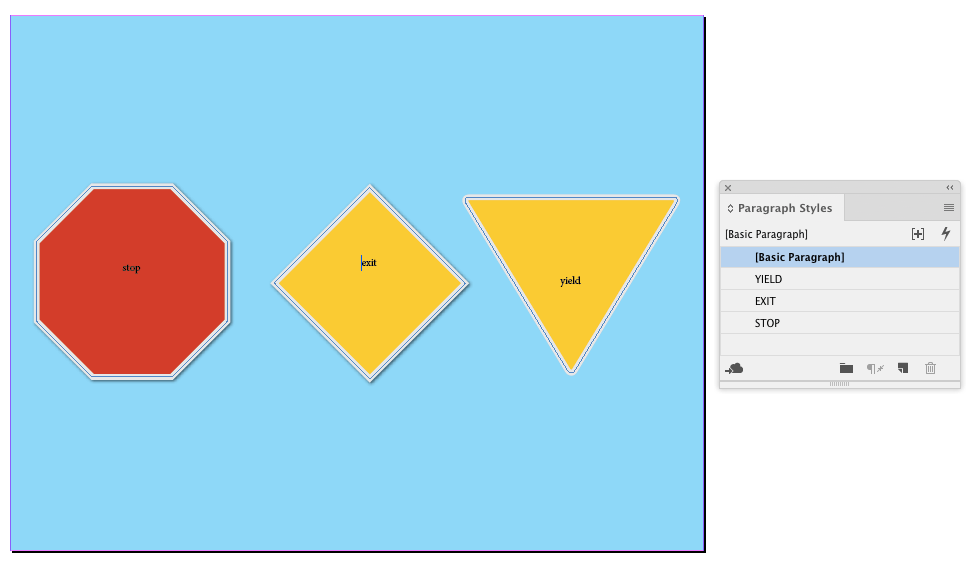
But when you apply the styles, all the signs turn green.
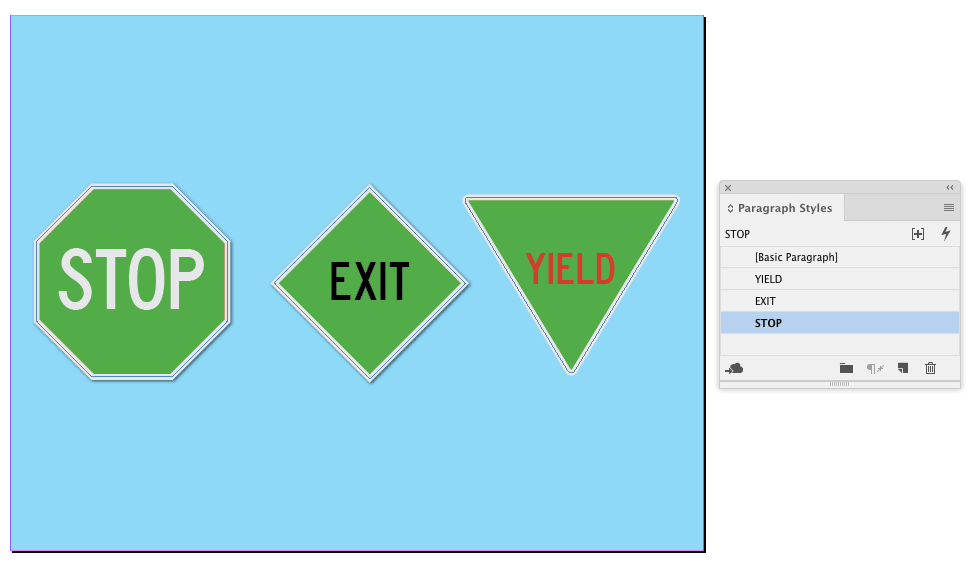
The fill colors applied to the objects have not changed.

There are no other objects on the page that would cause the color change.
Why do the signs change color when the text is styled?
This month’s prize is 3 months access to videos of any 2 days of CreativePro Week 2018!
The winner will be chosen at random from all the correct answers I receive before August 30, 2018
Enter now by emailing your solution to mike at indesignsecrets.com
Note: Comments are closed on this post so no one gives away the answer. Good luck!
This article was last modified on July 7, 2021
This article was first published on August 23, 2018
Commenting is easier and faster when you're logged in!

Recommended for you

New Contest! Mystery of the Empty Swatches Panel
Solve this InDesign mystery for a chance at winning a great prize.

New Contest! The Case of the Evil Eye
Solve this InDesign mystery for a chance at winning a great prize.
New Contest! Solve the Mystery of the Upside-Down Master Page
Hey folks, it’s contest time again! Last month, many of you unraveled the...