



It wasn’t bad, but suddenly in the middle of my all-day tutorial at the Creative Suite Conference, the previews for my Adobe Swatch Exchange files changed from file icons into swatch previews.
For instance, this is an ASE icon I have from earlier that day.
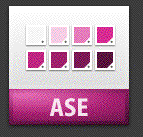
This is an ASE icon I have from earlier in the week:

But this is the preview, in Bridge, from an ASE file I created after the middle of the class.
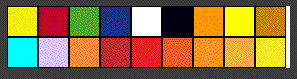
That icon is showing a preview of each of the swatches in the ASE file.
So here are my questions:
First, why are there two different colors and icons for the swatch file? I figure the green one has something to do with Creative Suite 2 as it uses the leaf motif from that version of the suite.
I guess the purple one is from CS3. But I can’t be sure that the swatches came from ID. Would another icon from PSD or AI be blue or orange? (I can’t test this as I can no longer make any of those types of icons.
Finally, what did I do to get those really cool swatch icons? I love them! But I would like to know what I did to get them.
This article was last modified on December 18, 2021
This article was first published on October 19, 2007
Commenting is easier and faster when you're logged in!

Recommended for you

Missing the InDesign Contact Sheet Script? Bridge to the Rescue!
When CS4 was released, like several other users, I was very dismayed to see that...
Free InDesign and InCopy CS3 Trials Available
Adobe just made free trials available for all their web and design Creative Suit...
Copying/Pasting Text from PDFs to InDesign
The other day I needed to copy a paragraph of text from a client-supplied PDF in...