Forum Replies Created
-
AuthorPosts
-
Kelly Vaughn
ParticipantPerhaps this article will help: https://creativepro.com/when-you-see-thin-white-lines-in-your-pdf-files.php
ParticipantIt depends on which program originally made the PDF. You could also open the PDF in Acrobat and set page bounding boxes there, but you’d still need to place all the pages into your InDesign document. Ideally, it would be best to get the native files and fix the problem there.
But of you’re placing each page into InDesign and correcting the trip and crop, you could set up the graphic frame with an Object Style that sets the graphic with a particular fitting and placement. That way, you could set up the graphic frames (on your master pages) for each of your facing pages, and then load all the PDF pages into your place gun and place the pages all at once.
ParticipantCan you post a screenshot of your TOC dialog box?
ParticipantIf you want it all centered, go to your TOC dialog box and replace “Between Entry & Number: ^t” with a few Em spaces.
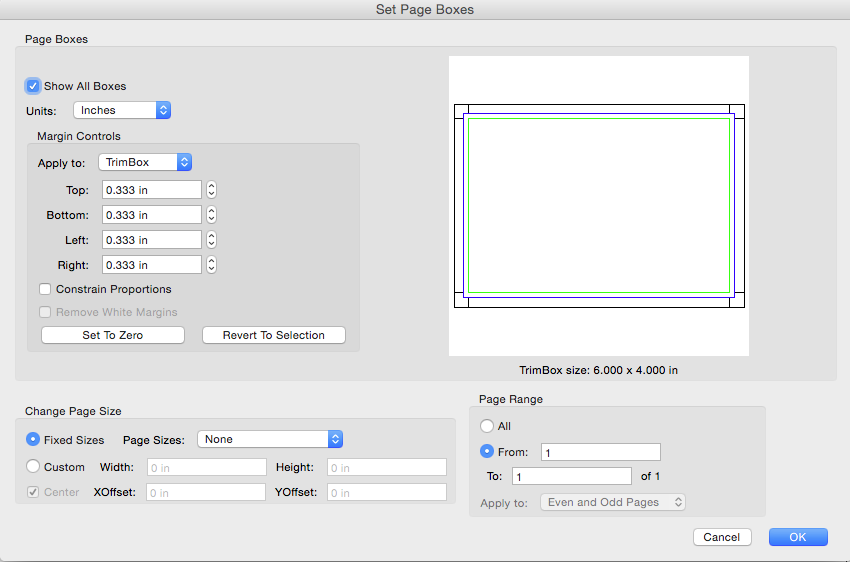
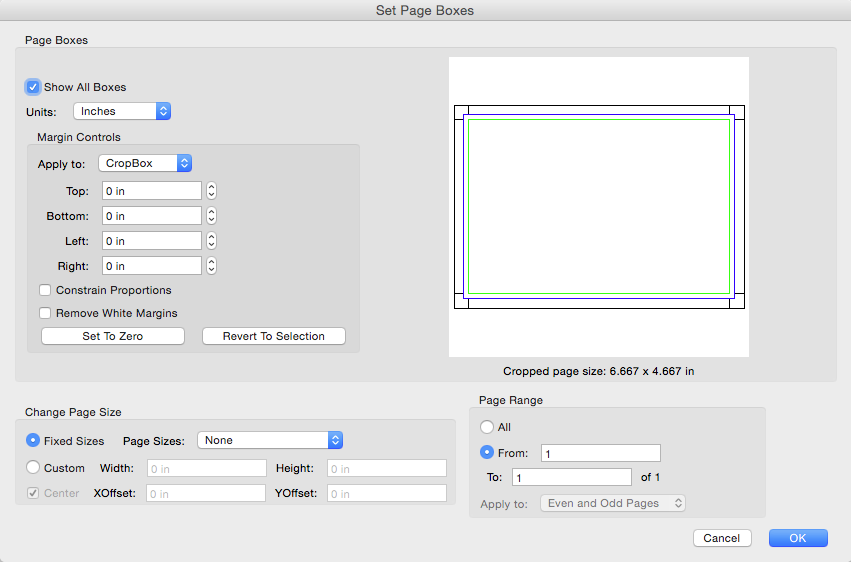
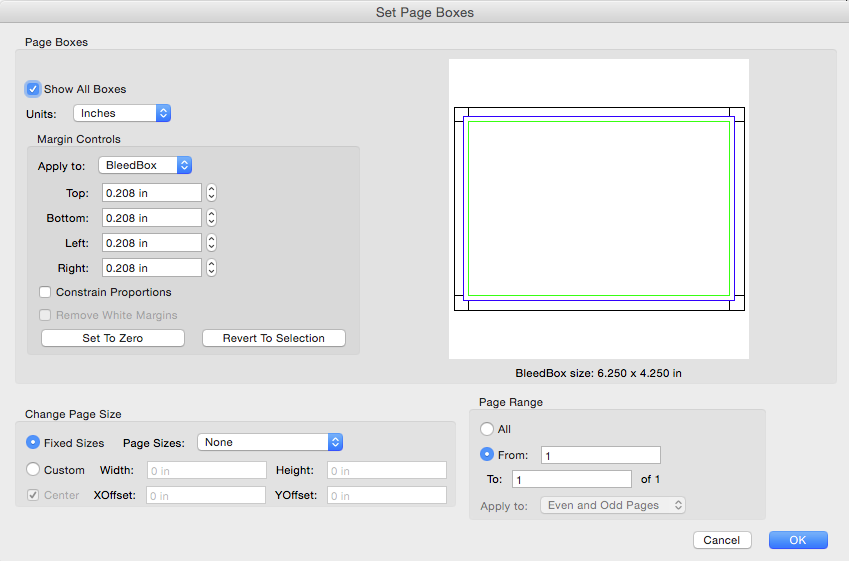
ParticipantJanuary 15, 2016 at 1:00 pm in reply to: Why don't exported PDF bleed dimensions match what I specify? #80858ParticipantHere are the “Set Page Boxes” I was talking about for Acrobat.
https://4.bp.blogspot.com/-uHf6WekyLZE/Vpk_YKLZNCI/AAAAAAAAAXk/SVJBZ7u1lyY/s1600/TrimBox.png
https://1.bp.blogspot.com/-nYkL1Mlilfs/Vpk_YOaf5bI/AAAAAAAAAXo/n1hheb_TFdQ/s1600/CropBox.png
https://2.bp.blogspot.com/-k-G8qHSl9Cw/Vpk_YDbDATI/AAAAAAAAAXs/AfESL4OKCBo/s1600/BleedBox.pngJanuary 15, 2016 at 11:55 am in reply to: Why don't exported PDF bleed dimensions match what I specify? #80852ParticipantOne thing to note is that you have your crop marks with a zero offset. So you crop marks will be inside the bleed, rather than outside of the bleed. The purpose of the bleed to give you a little fudge-room, so that when the paper shift ever so slightly during the cutting process, the bleed will account for this paper shift. But with the crop marks inside the bleed area, as you have them above, the crop marks will be exposed slightly when the paper shift during cutting.
nd on your Printer. If you’re take your PDF to a local mailbox/shipping center in a strip mall, chances are very high they won’t know about these settings in Acrobat. But if you’re going to a real Printer that makes their living printing things, then their staff will know about this and your PDF won’t confuse them at all.Can you tell me how you got that screenshot in your post above? I have some screenshots to post, but I don’t know how to get them in here.
January 15, 2016 at 10:08 am in reply to: Why don't exported PDF bleed dimensions match what I specify? #80849ParticipantIt has to do with the crop marks. InDesign crop marks are 0.2083 in long. You have them with a zero offset. 0.2083 in X 2 = roughly 0.42in. Add that to your page size, and that’s where the 6.42 comes from.
ParticipantCan you offer a little more explanation as to what you’re trying to do? Do you want a paragraph rule that’s just curved on one corner?
ParticipantThis would be a great project to use with conditional text and anchored objects. The pale gray background can be achieved using paragraph shading (new in CC 2015). No problem my friend. No scripting required.
ParticipantThat looks like a bug indeed. I was hoping I would be able to help, but I cannot. What happens if you create s second InDesign document containing just the grid and place that as a graphic into InDesign?
Or, just create the grid in Illustrator and place it as a graphic. I think that would be the best choice.
ParticipantIt sounds like you’re using a custom stroke style. Try editing the stroke style to adjust the Dashes and Gaps (or just Gaps), and see if that helps.
ParticipantHi Nicklas,
Can you post a link to a screenshot of the file stroke in InDesign as well as in Acrobat?
ParticipantDid you ever figure out what was wrong? I am willing to take a look at the file if you want to email it to me.
-
AuthorPosts