Forum Replies Created
-
AuthorPosts
-
Kelly Vaughn
ParticipantHere is an article about how to make a table with “Continued” https://creativepro.com/continued-heading-table.php
ParticipantYou can also use a landing mode on text1 frame. But then you’d have to understand how blending modes work in order to get the color you want. But it’s worth experimenting.
ParticipantThere is not a way to set the table border to align to the outside. What you can do is to just adjust the width of the cells on the outside of the table and increase the cell padding a bit.
ParticipantIf you want to send me your files, I’d be happy to take a look at them for you.
kelly at documentgeek dot com
ParticipantIf you save the files as IDML, and then save again as INDD, that will remove the missing plugin warning, and the book function will be restored.
Peter Kahrel write a free script to batch convert files: https://www.kahrel.plus.com/indesign/batch_convert.html
May 5, 2016 at 8:47 am in reply to: How do they do it? Max characters in a document template. #84631ParticipantAlso look into Typefitter Pro. https://www.typefi.com/typefitter/
I wrote an article about it here: https://documentgeek.blogspot.com/2013/08/too-much-text-try-typefitter-pro.html
ParticipantThat’s seems like more of an index. You could probably do a grep search for the duplicates and remove them. But if it’s not too big of a catalog, it my be easier to just do it manually. But I am not a grep person. Perhaps the grep users will have a better idea.
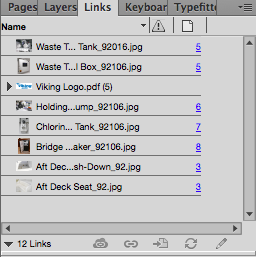
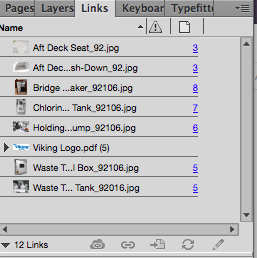
ParticipantDid you try clicking right next to “Name?” Because you can sort by any of the columns in the Links panel. Name, Status, Page Number, etc. The little black triangle will relocate to the column that you’re sorting by. So if you Click on “Name,”, the little black triangle will move to that column, and you can sort by name.
ParticipantJust click in the top of the panel, next to the word “Name.” You see the little black arrow next to the diver bar? That tells you whether it is sorting ascending or descending,
ParticipantWhat you need is In-Tools Power Headers. It i very affordable at only $59. https://in-tools.com/products/plugins/power-headers/
“Spread Headers and Column Headers: Power Headers allows the selection of a “Source Range”. A source range can be “Page”, “Spread” or “Column”. This enables creating “spread reflective” and “column reflective” headers.”
ParticipantIf you want to send me your file, I’ll take a look at it. kelly -at- document geek . com
ParticipantOh, man. That’s a tough one. Because the text boxes are comments in the PDF, they, as you have discovered, will not be in the PDF when you open it in Illustrator. But you can use a Flattener script (on your PDF in Acrobat) that will flatten your comments so they’ll no longer be comments, but rather, part of the main body of the PDF. Then when you open the file in Illustrator, they will be there. But, since you’ve opened PDFs in Illustrator before, you’re likely familiar with the fact that Illustrator often breaks up the text into bits and pieces, making it much more difficult to edit.
Is there a particular reason you need to add the callouts in InDesign? Because Illustrator also has paragraph styles and may be a better choice for this project.
Regarding the content of the comments, there is way to export all of them out as an FDF file. That’s basically a type of XML file. I wrote about that here: https://creativepro.com/working-with-fdfs-forms-data-files/
A scripter can probably write a script that will extract just the information you need (the contents of the text boxes), and get rid of all the other stuff. Just two days I saw that type of script in action. Once all your text is extracted, it would be fairly straightforward to go in and apply the styles you need. Here is the contact information of the scripture was can help you: https://frameautomation.com/about/
ParticipantThere is no way to get anchored objects to go behind the text in which they are anchored. Sorry. Perhaps move the headline text into a one cells table and give it a white fill.
ParticipantMaybe you can try using paragraph shading. Keith Gilbert wrote an article recently about using gradients in conjunction with paragraph shading in order to create a box round a paragraph. In your case, you can use the paragraph shading feature to cover up the vertical rule running in between the two columns.
Here is Keith’s article: https://creativepro.com/add-rule-paragraph.php
-
AuthorPosts