




This tutorial is courtesy of the Russell Brown Show.
There are times when low light or other factors make it impossible to capture a photo with a deep depth of field, yet a shallow depth of field may not yield the result you’re going for.
In those situations, take several shots of the same subject (with a tripod if possible), varying the area that’s in focus with each shot. Then let Photoshop merge the areas of sharpest focus from those stacked images into one seamless composite that looks as if it were captured with a deep depth of field.
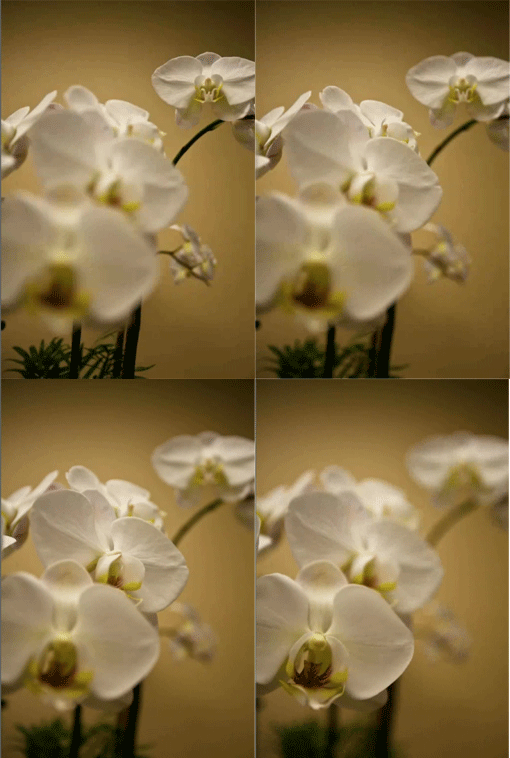
The trick is to use Auto-Blend Layers feature, as shown in this brief video.

This article was last modified on June 30, 2023
This article was first published on February 17, 2011
Commenting is easier and faster when you're logged in!

Recommended for you
CreativePro Tip of the Week: Resetting the Bounding Box of Objects in Illustrator
This CreativePro Tip of the Week on resetting the bounding box in Illustrator wa...

CreativePro Tip of the Week: Using the Navigator panel in Photoshop
This CreativePro Tip of the Week for Using the Navigator panel in Photoshop was...

Using the Fade Command in Photoshop
Ever wish you could partially undo a change you made to an image in Photoshop? Y...