



This article was last modified on February 3, 2021
This article was first published on
Commenting is easier and faster when you're logged in!
Loading comments...

Recommended for you
Article
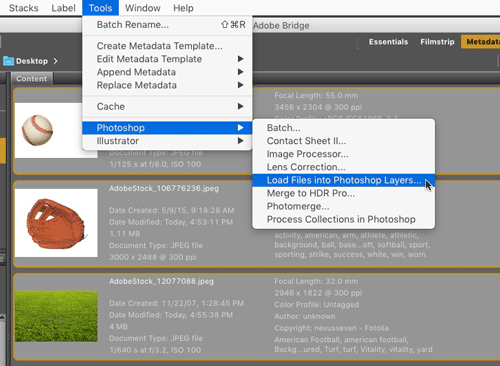
CreativePro Tip of the Week: Opening Files as Layers in a Photoshop Document
This CreativePro Tip of the Week on opening files as layers in a Photoshop docum...

Article
On the Move to InDesign: Converting Quark Document and Template Files
You may have heard that InDesign can convert document and template files from Qu...

Article
Stop Hyphenated (Compound) Words from Hyphenating
Cathy wrote: Is there an easy way to change preferences so that it will no...