



Occasionally, I’ll read requests from users that for whatever reason need to have line numbers in their document.
Our friend Harbs at In-Tools has just posted a free script that does this quickly and easily on a page by page and style by style basis. The script is significantly different than InDesign’s built in numbering feature in that it numbers lines, not paragraphs. It works through the use of anchored objects and allows the user to choose which styles to add line numbers to. The anchored objects use object styles and numbers use paragraph styles making the look and feel quite simple to adjust.
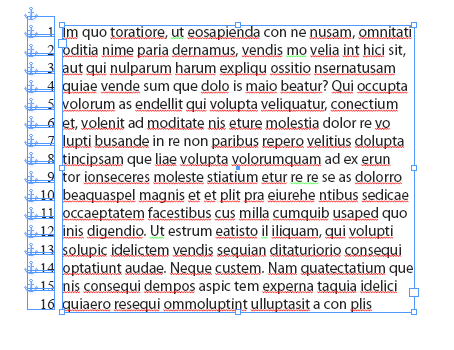
With hidden character displayed, the secret behind this script is revealed.
You can read more and download the script from this page on In-Tools website. (Or, if that site is down, you can find the script here.)
This article was last modified on March 26, 2025
This article was first published on March 1, 2010
Commenting is easier and faster when you're logged in!

Recommended for you

How to Choose a Different Artboard in an AI File
Need to switch from one artboard to another in the same AI file? This simple tri...
Repeating Nested Styles in a Loop
F.P. asked: Is there any way to find all the bullets in a paragraph and apply a...
Insert a Special Character with GREP Styles
David's back with yet another fun and adventurous grep styles trick.