




This CreativePro Tip of the Week on Making Dotted Lines in Illustrator was sent to CreativeProse email subscribers on October 18, 2017.
Sign up now and every week you’ll get a new tip, plus roundups of new articles, and exclusive deals sent right to your Inbox!
Just scroll down to the bottom of this page, enter your email address, and click Submit! We’ll take care of the rest. Now, on with the tip!
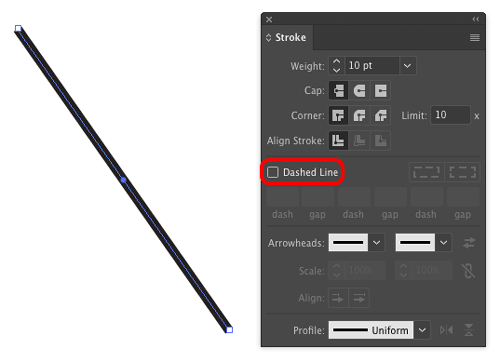
Need to make a dotted line in Illustrator? It’s not obvious how to do it. One way is to turn on the Dashed Line option in the the Stroke panel.
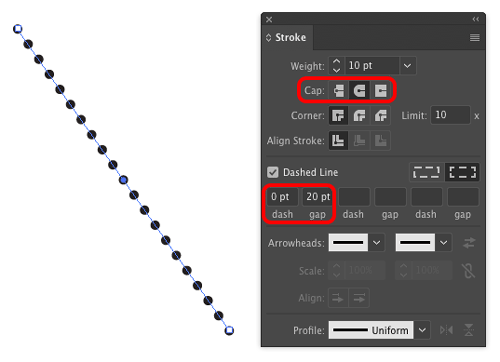
Then set the Cap to rounded, the Dash value to zero, and the gap to double the stroke width.
This article was last modified on December 7, 2017
This article was first published on December 7, 2017
Commenting is easier and faster when you're logged in!

Recommended for you

How to Create a Bleed in Illustrator
Printing your Illustrator document? You need a bleed! Khara Plicinic shows how t...

Scanning Around with Gene: When Sparks Fly
I suspect every American kid, especially every boy, has vivid memories of Fourth...

Tip of the Week: Copy-Paste Tips for Tables
How to copy formatting from one or more cells and apply it to other cells in an...