GREP is, by default, set up to find text inside a paragraph. That is, if you search for .+ (one or more of any character), then it will find those characters from the beginning of the paragraph to the end of the paragraph, and then stop. That’s it. But what if you’re trying to match a pattern across multiple paragraphs?
For example, what if you know you have three paragraphs in the middle of your story, and the first paragraph starts with “Giraffes” and the last paragraph ends with “fish.” You can do this with the code ^Giraffes(\r|.)+fish.$
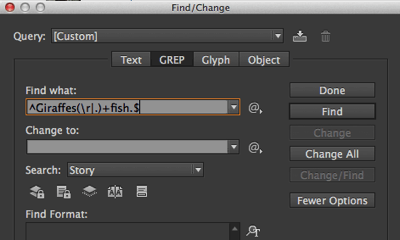
The trick there is a simple one: the code inside the parentheses says find “any character or a return character.” (The caret means “beginning of paragraph,” the dollar sign means “end of paragraph,” and the vertical bar means “or”.)
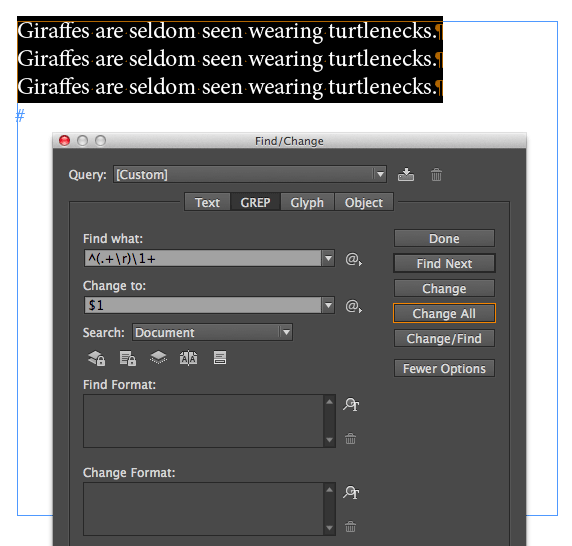
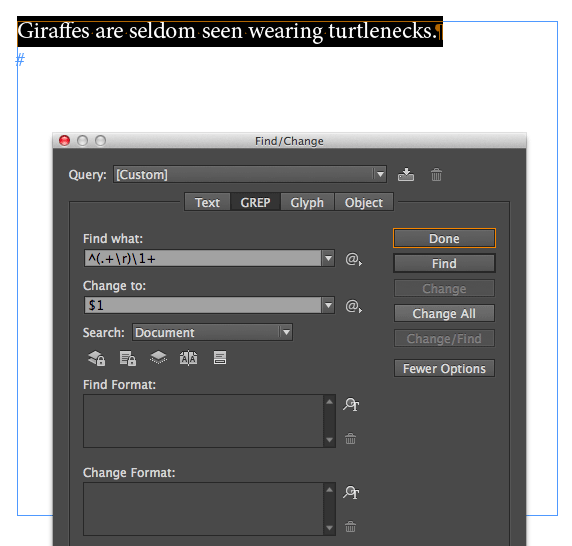
By specifically including the return character, we can find more than one paragraph. That’s why the code ^(.+\r)\1+ means “Find duplicate paragraphs/lines in a list.” In other words, “find everything in the paragraph–including the paragraph marker–followed by one or more exact duplicates of that.” If you want to remove the duplicate(s), then type $1 into the Replace With field.
Just remember that this code won’t work with GREP Styles, because those are specifically for applying formatting within a single paragraph!
This article was last modified on December 30, 2021
This article was first published on June 10, 2014
Commenting is easier and faster when you're logged in!

Recommended for you

InDesign Magazine Issue 75: The Ultimate Guide to Kerning
We’re happy to announce that InDesign Magazine Issue 75 (July, 2015) is now avai...
URLs: Breaking (Badly)
With the help of GREP styles, you can solve the problem of bad breaks in long UR...