




Nowadays most graphic designers and production folks have huge font collections numbering in hundreds or thousands. And while it’s great to have that much choice, it can also slow you down when you have to scroll through ridiculously long font menus in apps like Photoshop, Illustrator, and InDesign. The good news is that you don’t have to have to deactivate fonts to declutter your font menus.
Just click the stars to the left of the names of the fonts you want to keep visible in the menu.
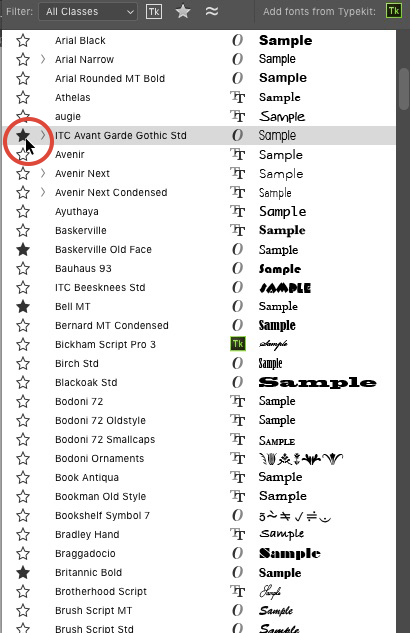
This tags them as Favorites. Then click the star at the top of the fonts menu to show only your favorites.
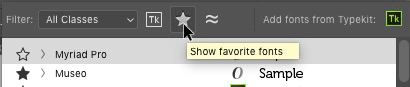
Voila, a (nearly) instant project font menu.
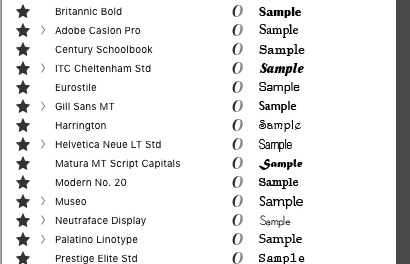
Click the star again to stop filtering by favorites when you want to see all your active fonts.
This article was last modified on November 23, 2022
This article was first published on November 7, 2016
Commenting is easier and faster when you're logged in!

Recommended for you

A Type Geek’s Ultimate Calendar
I’m probably the odd man out when it comes to designers and type: I can...
13 Fonts From the Dark Side
Don’t be afraid of the dark! Use these fonts for creating distinctive, impactful...
Added Fonts: The Confusing New Change in Adobe Fonts
Learn about Added Fonts in Creative Cloud, which can only be used in Adobe apps...