



While a lot of great animations, from banner ads to full-fledged games, are output to the Flash format, not every device supports Flash files. For example, you can’t see Flash on Apple’s iPhones and iPads.
That’s no doubt one of the reasons why Adobe is experimenting with Wallaby. This free application, still very much in the early stages, converts some Flash files to HTML5, the up-and-coming technology that enables animation and does run on iOS devices.
Note that at this point, Wallaby works only with .FLA files, not with .SWF files. In addition, HTML5 has no equivalents for many things you can do in Flash Professional.
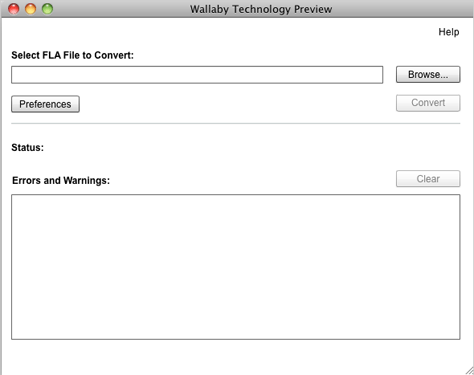
On the plus side, once you convert a file with Wallaby, you can edit the resulting code with any HTML editor. And the process is very simple. Here’s the entire interface:

I’m interested in exploring the app. While I’m by no means a Flash expert, software I’m more comfortable with, including InDesign and Illustrator, can also export FLA files that Wallaby can convert.
You can download Wallaby here.
This article was last modified on January 8, 2023
This article was first published on March 9, 2011
Commenting is easier and faster when you're logged in!

Recommended for you

How Machine Learning Is Winning the Photographic Face Race
Several years ago, some photo applications started to include face recognition f...

FontExplorer X Pro 3 Debuts for Mac
Press Release Monotype Imaging Holdings Inc., a leading global provider of text...

Split Text Color from Black to White in the Middle of a Frame
Need some text to suddenly change color when its over a dark background? This te...