




One of the new features Adobe added to InDesign way back in CS5 was the ability to exporting to PDF in the background. On the surface this was a great idea because it allows users to get right back to work instead of sitting and watching a progress bar while the PDF was being exported.
In practice, however, this feature has proved troublesome to many users and while patches to InDesign have helped clear up some of the issues, some people still experience problems including crashing, freezing, and annoyingly irrelevant “error” messages. For example, when you place unmodified iPhone photos into an InDesign layout and export to PDF, you may get the alert message “Version 4 ICC Profiles were converted to Version 2 ICC Profiles during PDF Export”.
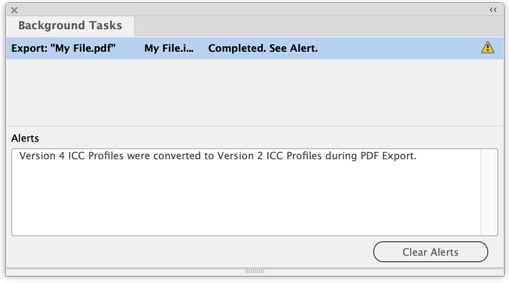
Fortunately, there is a simple fix. The following procedure turns off all background exporting in InDesign:
macOS:
1) Create an empty text file and save it with the name DisableAsyncExports.txt
2) Control+Click on the Adobe InDesign 2021.app file in your Applications folder and choose Show Package Contents
3) Move the text file from step 1 into Contents/MacOS/ so the full path to the file is now:
/Applications/Adobe InDesign 2021/Adobe InDesign 2021.app/Contents/MacOS/DisableAsyncExports.txt
Windows:
1) Create an empty text file and save it with the name DisableAsyncExports.txt
2) Move the text file from step 1 into the application folder, for example: C:\Program Files\Adobe\Adobe InDesign 2021\DisableAsyncExports.txt
This article was last modified on March 18, 2026
This article was first published on May 20, 2011
Commenting is easier and faster when you're logged in!

Recommended for you

MoreInfo Improves Notes, Conditional Text, Tracked Changes and More
MoreInfo is a plug-in by Kerntiff Systems that combines information from several...

The InDesign Conference to Cover CS3 Topics at New York Conference
Barrycon Productions, an independent event organizer for Adobe products and prod...

Photoshop Template: Billboard
Use this customizable Photoshop template to put your own message on a city billb...