



There’s a bug in InDesign CS5 that you should be aware of, that makes anchored objects fail to print or output to PDF in certain cases.
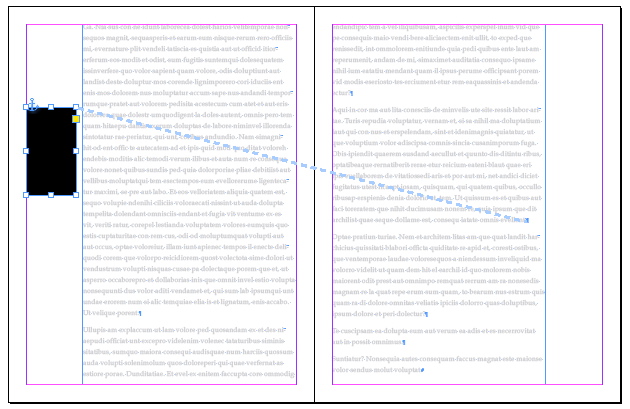
The bug occurs if you have a facing pages document that contains text flowing from the left page of a spread to a right page. If you anchor an object to a text location on the right-hand page, but position the object on the left hand page, the object won’t print or appear in a PDF exported as a print PDF. If you print or export to PDF with the “Spreads” option selected, the object does appear correctly. I’m running ID CS5 7.0.x on Mac OS X 10.6.6.
I tested this with the same files in InDesign CS4, and it appears to work correctly in that version.
Why would you ever need to create anchored objects that appear on adjacent spreads? Well, it might happen accidentally during the course of production, or it can be done intentionally with the techniques demonstrated here and here.
Remember, you can keep track of where your objects are anchored by choosing Type > Show Hidden Characters, and View > Extras > Show Text Threads, as I’ve done in the screen shot below.
This article was last modified on December 20, 2021
This article was first published on January 23, 2011
Commenting is easier and faster when you're logged in!

Recommended for you

InDesign Magazine Issue 112: Green Design
Issue 112 of InDesign Magazine include articles designing for sustainability, sp...

How to Extract a Table from a PDF in Acrobat
Get your data out of a PDF and into an Excel Workbook with this quick Acrobat tr...

Can There Be Too Many Styles? (Yes, There Can)
This is a fictionalized version of my exploration of a recent client’s fil...