




 Last week, Adobe quietly came to their senses and adjusted the InCopy CC subscription fee to $4.99/month (annual plan paid monthly), down from $19.95 month, where most of the other single Adobe app subscriptions price out at.
This move smooths the way for publishers considering an InDesign/InCopy workflow, and gives existing customers a break in their budgets (once they renew their monthly or yearly license). Typically, in a publication production team, editors outnumber designers by a far margin. Spending $49.95/month each for one or two designers to use InDesign CC and the other Creative Cloud apps is a bit of an “ouch.” But add to that $19.95/seat every month multiplied by five or ten editors so they could use InCopy was a real, bottom-line obstacle.
How to Get the Reduced InCopy CC Subscription Fee
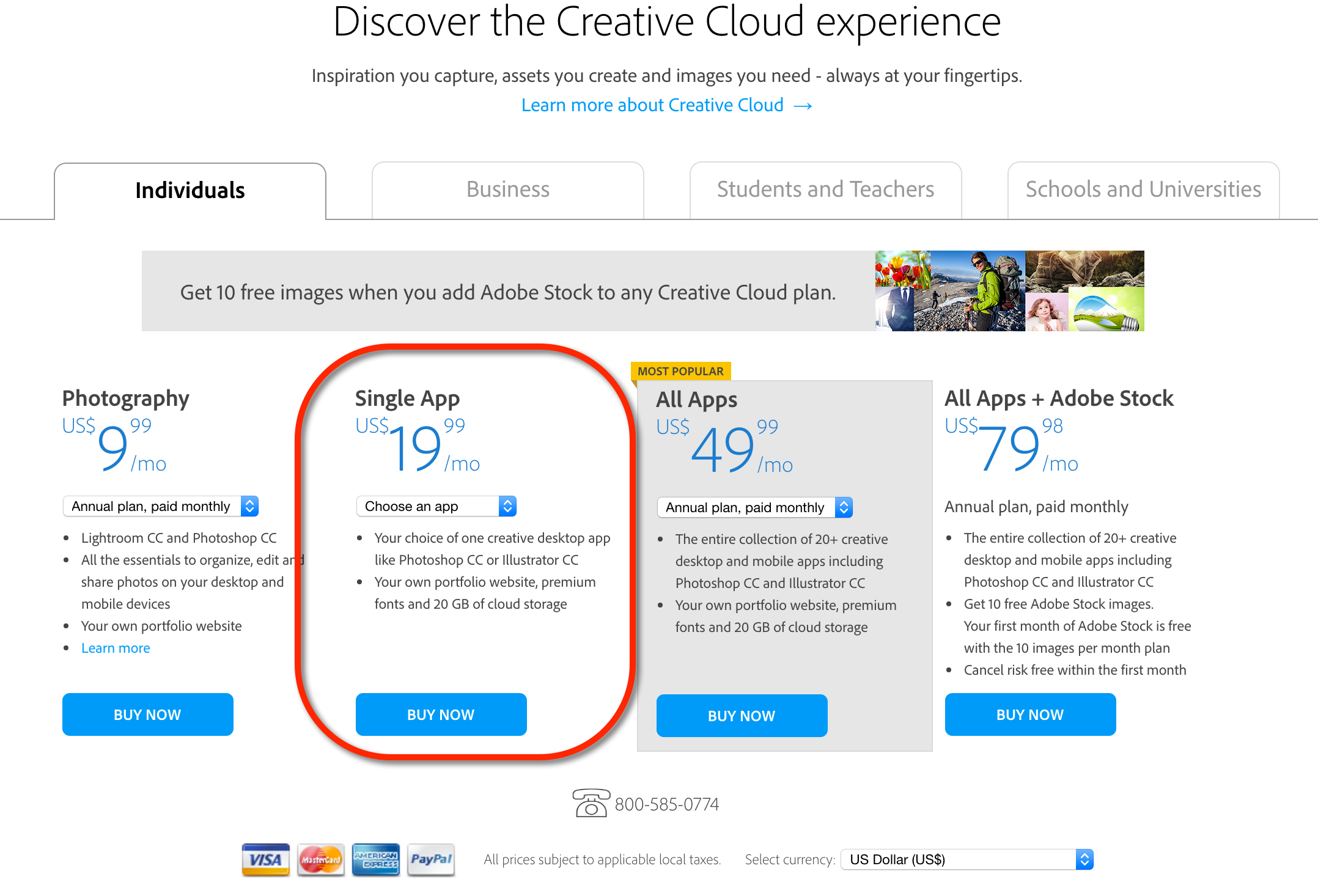
To see the new pricing (and subscribe), go to the Creative Cloud Membership and Pricing Plans page on Adobe’s web site. At first, it looks like InCopy is still $19.99/mo.:

But as soon as you choose it from the menu, the price change appears:

Woo-hoo! In case you’re wondering, that works out to $59.88 a year, a very reasonable price for a program that used to cost $259.00/seat for a perpetual license. It also brings it more in line with Adobe’s special “Photography” package, which is $9.99/mo for Photoshop and Lightroom. If you want InCopy CC just for a single month or three (perhaps while you’re testing it out), it’s $7.49/month, also reasonable.
I know many IT and purchasing departments who aren’t even aware that InCopy is available as a single subscription (Adobe doesn’t push this option very hard), and instead they’re having the company foot the bill for a full CC subscription for each editor. Yikes! If you suspect your company may be doing the same, please print out this post and tape it to their computer monitor. Again, that URL with the pricing info is https://creative.adobe.com/plans.
This article was last modified on July 25, 2019
This article was first published on June 10, 2016
Commenting is easier and faster when you're logged in!

Recommended for you

dot-font: Mr. Jefferson’s Typeface
dot-font was a collection of short articles written by editor and typographer Jo...

Clear Text Overrides from Word Files
WBB wrote:This is an age-old problem for me... How do I get my Word styles to im...

7 Creative Freelance Business Tips
Running a freelance business can be challenging, particularly if you have never...