




Quick, how much time did you spend on your last project? If your answer is something like “an afternoon” or ends with the phrase “give or take,” you probably need to find a better way to track your time. The problem with time tracking is, well, it sucks. Many creatives find time tracking to be an annoying chore that distracts from the real work at hand. But with accurate and efficient time tracking you can spend less time and effort on quotes and invoices, not miss out on hours you should be charging for, and have a better understanding of which jobs are most profitable and which ones you should probably pass on next time.
That’s why Max Solutions has released an update to Workflow Max, their cloud-based time tracking solution so it now works directly inside apps like Photoshop, InDesign, and Illustrator.

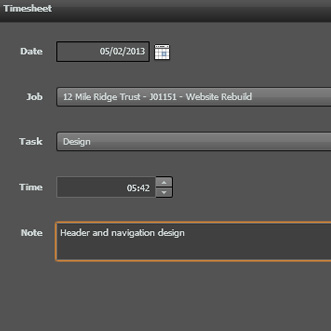
The Workflow Max panel allows you to track and review the amount of time spent on jobs and specific tasks. And because you’re not switching apps, you barely have to take your eyes off your creative work.
You use Workflow Max Timer by downloading the free extension from Adobe Exchange, and signing up for a monthly subscription (hmm where have I heard that before?). There are several plans which range from $15/month for a single user to $199/month for an unlimited number of users. The service includes timesheets, job tracking, invoicing, reporting, and more. It is also integrated with Outlook, Apple iCal, and Google Calendar.
For more info on the full capabilites of Workflow Max, visit their website or check out the video below.
WorkflowMax from Nadim Malvat on Vimeo.
This article was last modified on January 6, 2023
This article was first published on July 18, 2013
Commenting is easier and faster when you're logged in!

Recommended for you

Book Excerpt: InDesign Course and Compendium
Steve Laskevitch shows how to work with long document features.

Using InCopy to Clean Up Word Files
Tom, a journalism professor and InDesign/InCopy user, e-mailed me about his inte...

Saving Content
As a computer user, most of us have gotten into the habit of saving our work on...