




When you need to add some common icons to text, what do you do? Do you open a clip art library…and search for the right icon? Or maybe switch to a dingbat font…and search for the right icon? Wouldn’t it be cool if you could stop wasting time with all that searching and just type words like “check” and “twitter” and have the text magically transform into a checkmark and the twitter icon?
Well you can do exactly that and more with the Symbolset fonts by Oak Studios.


Symbolset fonts use the same on-the-fly character substitution technique as Travis Kochel’s Chartwell font. So as soon as you type the t in “alert” the letters are all replaced by an alert icon.


You can get a feel for the way it works, by typing some of the sample terms on the Symbolset.com home page.
Other benefits of the symbolset fonts include scalability and acessibility (screen readers and search engines see the actual words instead of the icons).
This article was last modified on July 29, 2021
This article was first published on January 14, 2013
Commenting is easier and faster when you're logged in!

Recommended for you

TypeTalk: Where Did that Font Come From?!
TypeTalk is a regular blog on typography. Post your questions and comments by cl...
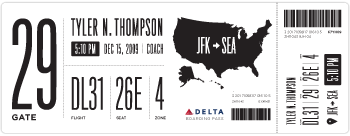
Redesigning Concert Tickets
Because they’re so familiar, the design of everyday things can become invisible....

The Path to Beautiful Tables, Part III: Working With Numbers
Don’t miss part 1 and part 2 of this series on how to create beautiful tab...