


InDesign CS Tips: Creating Layout Standards



Anyone who works in page-layout applications know what a time-saver master pages are. Set up your page numbers, rules, headers, and other recurring elements once and see them applied to all the appropriate pages.
But if you’re new to InDesign you’ll soon see that InDesign has some special master-page features that you’re not familiar with, such as the Override all Master Page Items command.
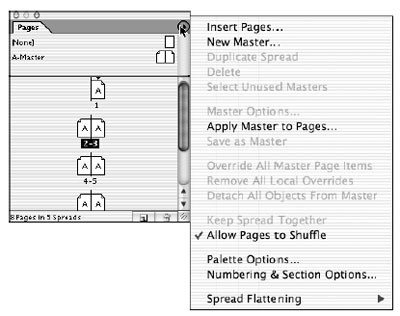
Master pages are only one way in which you can create a consistent look to your publication in InDesign. You can also create reusable page templates and graphic libraries.
In this excerpt from “Adobe InDesign CS Bible,” you’ll see how to work with master pages, templates, and libraries in InDesign.
We’ve posted this excerpt as a PDF file. All you do is click the link “Creating Layout Standards” to open the PDF file in your Web browser. You can also download the PDF to your machine for later viewing.
To open the PDF, you’ll need a full version of Adobe Acrobat (5 or higher) or the Adobe Reader, which you can download here:
 .
.
To learn how to configure your browser for viewing PDF files, see the Adobe Reader tech support page.
Excerpted from “The Adobe InDesign CS Bible” by Galen Gruman. Copyright © 2004 Wiley Publishing. All rights reserved. Reproduced here by permission of the publisher.
This article was last modified on March 10, 2025
This article was first published on December 3, 2004
Commenting is easier and faster when you're logged in!

Recommended for you

Preflighting eBooks for Overrides
With the help of the Preflight panel, a plug-in, or a cool script, you can spot...

Super Simple Slide Design: A CreativePro Event Sneak Peek
Learn several easy to implement techniques for punching up the visual interest i...

Photoshop Tip: Pasting into a Selection in Photoshop
Learn how to create layers with layer masks with Photoshop's Paste Into command.