



If you’re trying to figure out how to use CS3’s new Find/Change with GREP feature, and have found the online help a bit, um, unhelpful, you’re going to love this.
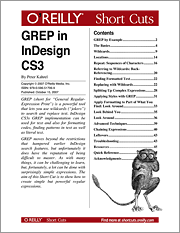 Peter Kahrel’s GREP in InDesign CS3 ($9.99 US) just came out from O’Reilly. You can purchase and download the 47-page PDF directly from O’Reilly’s web site by following the link. That’s what I did a couple days ago, and now that I finally understand what a “Look Behind” is, I’ve already saved at least four hours of tedious hunting and pecking production work on a project I’m working on this weekend.
GREP in InDesign CS3 TOC:
- GREP by Example
- Basics
- Wildcards
- Locations
- Repeat: Sequences of Characters
- Referring to Wildcards: Back-Referencing
- Finding Formatted Text
- Replacing with Wildcards
- Splitting Up Complex Expressions
- Applying Styles with GREP
- Look Ahead
- Look Behind You
- Look Around
- Advanced Techniques
- Chaining Expressions
- Single-line and Multiline Modes
- Troubleshooting
- Quick Reference
I wish the book also had a Table of Examples so I could easily copy and paste them into this post! Throughout the book, Peter steps through numerous real-life Find/Change routines to show how the GREP topic under discussion might be used, and I found them just as valuable as the explanatory content.
This article was last modified on December 18, 2021
This article was first published on November 25, 2007
Commenting is easier and faster when you're logged in!

Recommended for you

Setting up Numbered Lists that Jump Frames in InDesign
If you work with long documents in InDesign you may need to continue an auto-num...
Quickly add metadata to InDesign and PDF files
Metadata is a term that we’re hearing more and more these days. So what is...
Where Is the PageMaker Palette in CS3?
James wrote: So I managed to persuade the boss to buy me CS3 design standard......