




See how one of the biggest calendar publishers around gets the job done.
Here’s a quick overview of the steps to use Make Grid and Text Stitch to get your calendar started in InDesign, just like the folks at Andrews McMeel do. And don’t miss our InDesigner article on Andrews McMeel.
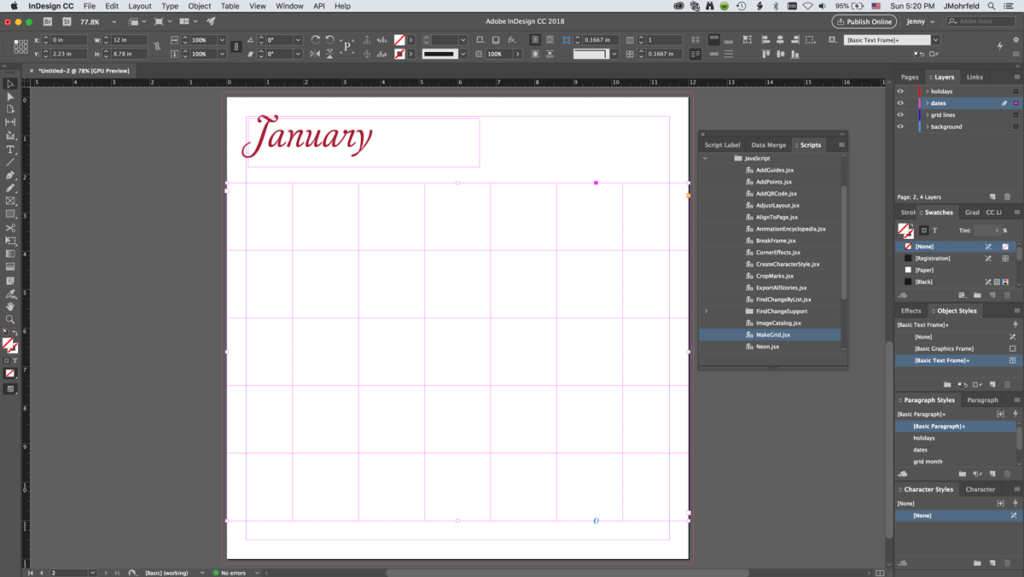
1. Position the heading. Draw a large text frame, then use the Make Grid script to lay out rows, columns, and gutter space (Script panel > Application > Samples > JavaScript > MakeGrid.jsx).

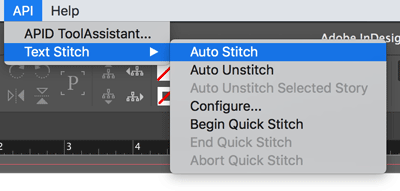
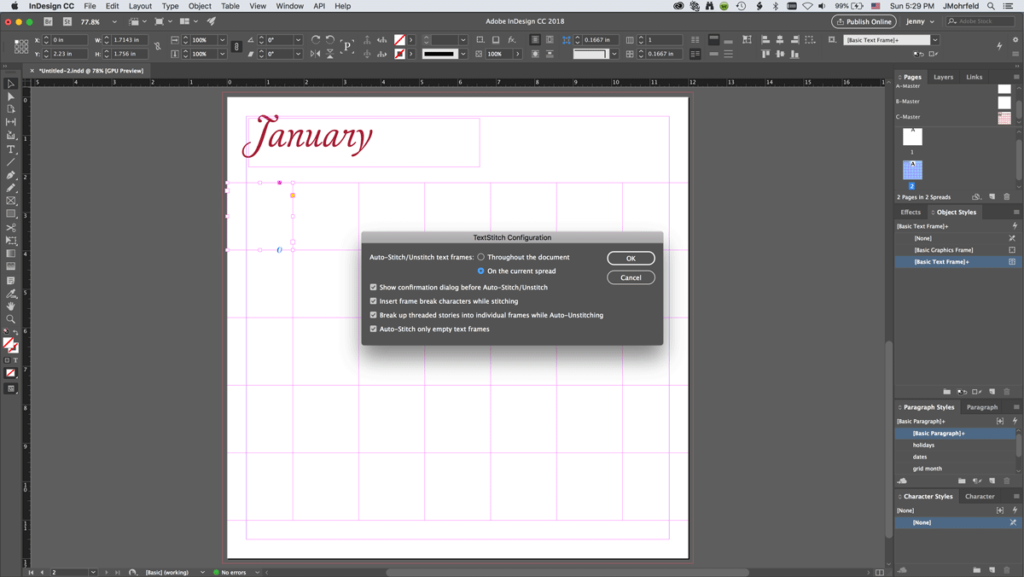
2. After installing Rorohiko Text Stitch, choose API > Text Stitch > Auto Stitch to thread together the text frames so you can fill in all the dates quickly.

3. Use master pages to hold your persistent elements; this gives you a way to control the consistent parts of your design even while you’re working with the more changeable portions.
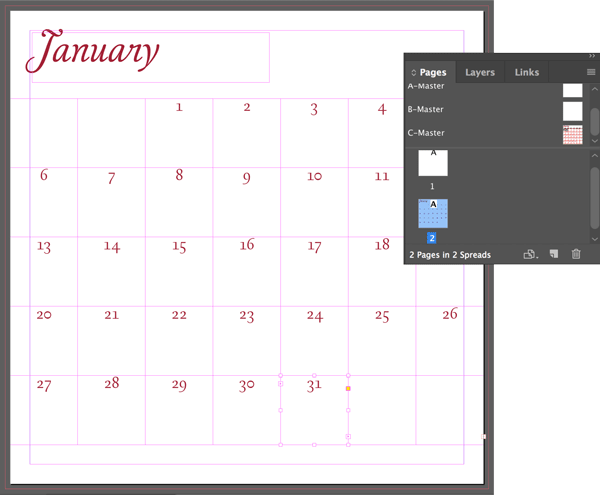
4. Once your formatting is in place, you can include dates, illustration, and additional calendar details.

Commenting is easier and faster when you're logged in!

Recommended for you
Design Inspiration from the Alphabet Logo
Sometimes “getting back to basics” for inspiration involves going wa...

New Zealand Crowdsources New Flag Design
What if Twitter had been around in 1776 when the Founding Fathers asked Betsy Ro...

Getting Hired as a Designer in 2016
Getting Hired as a Designer is Not Easy Whether you are a graphic designer, web...